


TubeGraphics Review: Turn Any YouTube Video Into a Branded Infographic in Minutes
- Paul

- Jun 25
- 8 min read
What Is TubeGraphics?
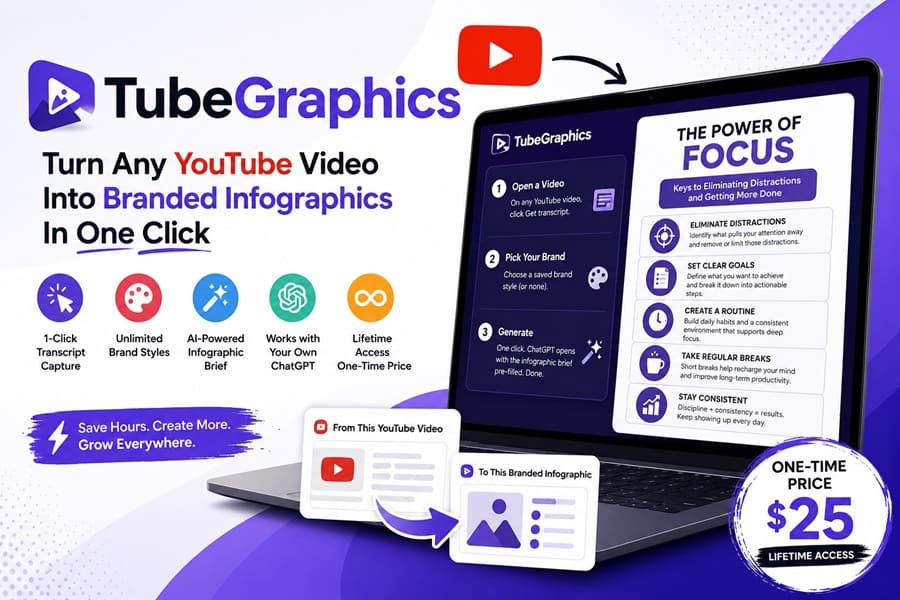
TubeGraphics is a Chrome-based content repurposing tool that transforms YouTube videos into infographic-ready content using ChatGPT. Rather than asking users to manually copy transcripts, summarize videos, and create prompts, TubeGraphics automates the entire workflow. The software extracts captions directly from YouTube videos, analyzes the content, identifies the most suitable infographic structure, and prepares a complete infographic brief for ChatGPT.
The result is a faster way to create:
Infographics
Pinterest pins
Instagram carousel content
LinkedIn visual posts
Educational graphics
Lead magnet visuals
Content marketing assets
The tool works with your own ChatGPT account, meaning there are no additional AI subscriptions or API costs required.
How Does TubeGraphics Work? Step By Step
➤ Step 1: Open a YouTube Video
Start by finding a YouTube video related to your niche or content strategy. This could be:
Your own video
A competitor's educational content
Industry tutorials
Expert interviews
Training videos
Case studies
Once you're on the video page, open the TubeGraphics side panel.
➤ Step 2: Capture the Transcript
Normally, gathering transcripts can be frustrating. Many creators spend time:
Opening transcript menus
Copying text
Cleaning formatting
Removing timestamps
TubeGraphics automates this process. The extension captures the video transcript directly from YouTube and prepares it for analysis. This eliminates one of the most time-consuming parts of content repurposing.
➤ Step 3: Choose Your Brand Style
Before generating the infographic, you can select a saved brand style. This may include:
Colors
Typography preferences
Branding elements
Visual themes
The benefit is consistency. Instead of producing generic AI graphics, TubeGraphics attempts to maintain a recognizable visual identity across all generated content.
➤ Step 4: Generate the Infographic Brief
Once the transcript is captured, TubeGraphics analyzes the content and determines the best infographic structure. Depending on the material, it may organize information into formats such as:
Step-by-step processes
Checklists
Myth vs Reality
Mistakes to Avoid
Frameworks
Educational breakdowns
This is an underrated feature because choosing the right structure often determines whether an infographic becomes engaging or forgettable.
➤ Step 5: Open ChatGPT
The software automatically prepares the infographic brief and sends it to ChatGPT. Instead of writing complicated prompts yourself, the prompt is already prepared. ChatGPT then generates the infographic based on the extracted information and branding settings.
➤ Step 6: Refine the Result
TubeGraphics includes refinement options that allow you to adjust the output. Examples include:
Making content simpler
Making content bolder
Improving readability
Correcting text issues
This makes it easier to polish graphics without starting over.

TubeGraphics Review - Key Features
✅ Automatic Transcript Capture
TubeGraphics eliminates the most tedious step in repurposing video content: grabbing transcripts. With one click, it captures captions directly from the YouTube player — even on videos where other tools fail. No copy‑paste, no third‑party apps. This automation saves hours and ensures you never miss valuable content.
✅ Brand Style Integration
Consistency is everything in branding. TubeGraphics lets you save unlimited brand styles — colors, fonts, and design elements. Once set, every infographic you generate automatically matches your brand identity. Whether you’re running multiple client accounts or your own niche page, this guarantees professional, on‑brand visuals every time.
✅ Smart Structure Derivation
Not all content fits the same mold. TubeGraphics intelligently analyzes transcripts and chooses the right infographic format: checklist, myth vs. reality, step‑by‑step guide, or common mistakes. This means your graphics aren’t just pretty — they’re structured for clarity and engagement, tailored to the video’s actual content.
✅ One‑Click Refinement
Sometimes the first draft needs a tweak. TubeGraphics includes refine buttons like bolder, simpler, and fix text. These instant adjustments let you polish your infographic without re‑prompting or starting over, making iteration effortless.
✅ Works with Your Own ChatGPT
TubeGraphics doesn’t lock you into subscriptions or hidden fees. It runs entirely on your existing ChatGPT account. That means no API keys, no per‑image charges, and no monthly bills. You control the process, and your costs stay fixed.
✅ Versatile Use Cases
TubeGraphics is built for operators across industries:
Creators/YouTubers: Repurpose every video into graphics that drive traffic back to your channel.
Marketers/Agencies: Deliver polished client content in minutes, no design skills required.
Faceless/Niche Pages: Mine top videos in your niche for a steady stream of infographics.
Coaches/Solopreneurs: Turn expert videos into lead magnets without hiring a designer.
✅ Speed and Simplicity
The entire process — from transcript capture to finished infographic — takes about 30 seconds. That’s faster than watching the video itself, making TubeGraphics a true productivity multiplier.
How Much Does TubeGraphics Cost?
❤️ TubeGraphics Front End ($25)
One thing I genuinely liked about TubeGraphics is its straightforward pricing. Unlike many AI content tools that start cheap and then hit you with monthly subscriptions, usage limits, or expensive upgrades, TubeGraphics keeps things simple. You pay once and that's it.
Current Price: $25 One-Time Payment
When I purchased TubeGraphics, here's what was included:
TubeGraphics Chrome Extension
One-click transcript capture from YouTube videos
Unlimited brand styles
One-click refinement tools
Integration with your own ChatGPT account
Lifetime access
Future product updates
Quick-start training to get up and running fast
30-Day Money-Back Guarantee
The purchase is backed by a 30-day refund policy, which gave me some peace of mind when I first decided to try it.
Is It Worth The Price?
After using TubeGraphics for several content repurposing projects, I think the value comes down to how often you create content from YouTube videos. For me, the biggest benefit was the time saved. Instead of manually copying transcripts, organizing information, and writing prompts, TubeGraphics handled those steps automatically.
If you're regularly turning YouTube content into blog graphics, Pinterest pins, social media posts, or lead magnets, TubeGraphics is definitely worth taking a look at.

➡️ The Upsells:
OTO 1 – TubeGraphics Pro ($26): The first upgrade is designed for users who plan to create content more frequently and want additional features to streamline their workflow. If you're serious about content repurposing or managing multiple projects, this upgrade can help you get more value from TubeGraphics.
OTO 2 – TubeGraphics Advanced ($26): The second upgrade focuses on giving users more flexibility and enhanced functionality. It's aimed at marketers, content creators, and business owners who want to scale their content production and create more branded assets with less manual work.
OTO 3 – TubeGraphics Agency ($77): For agencies, freelancers, and service providers, the Agency upgrade is where things get more interesting. This upgrade is designed for users who want to create infographic content for clients and potentially turn TubeGraphics into a revenue-generating service.
Why Should You Choose TubeGraphics?
My Personal Experience With TubeGraphics:
I bought TubeGraphics because I spend a lot of time creating bonus pages, review articles, Pinterest graphics, and social media content for affiliate promotions. While ChatGPT and image generators have helped speed things up, I was still wasting a surprising amount of time finding YouTube transcripts, extracting key points, and figuring out how to turn them into visually appealing graphics.
To properly test TubeGraphics, I used it for a project called AI Marketing Launch Kit, a digital bundle that included:
A 90-page AI marketing guide
150 ready-to-use ChatGPT prompts
Social media content templates
Email swipe files
AI productivity checklists

My goal wasn't to create more content from scratch. Instead, I wanted to repurpose existing YouTube videos related to AI marketing into infographics that I could use inside my review articles, Pinterest campaigns, and social media posts.
The first thing I noticed was how much time TubeGraphics saved. Normally, I would spend 20–30 minutes watching a video, pulling out the key takeaways, organizing the information, and then writing prompts for ChatGPT. With TubeGraphics, I simply opened a video, grabbed the transcript, selected my branding style, and generated the infographic brief in a few clicks.
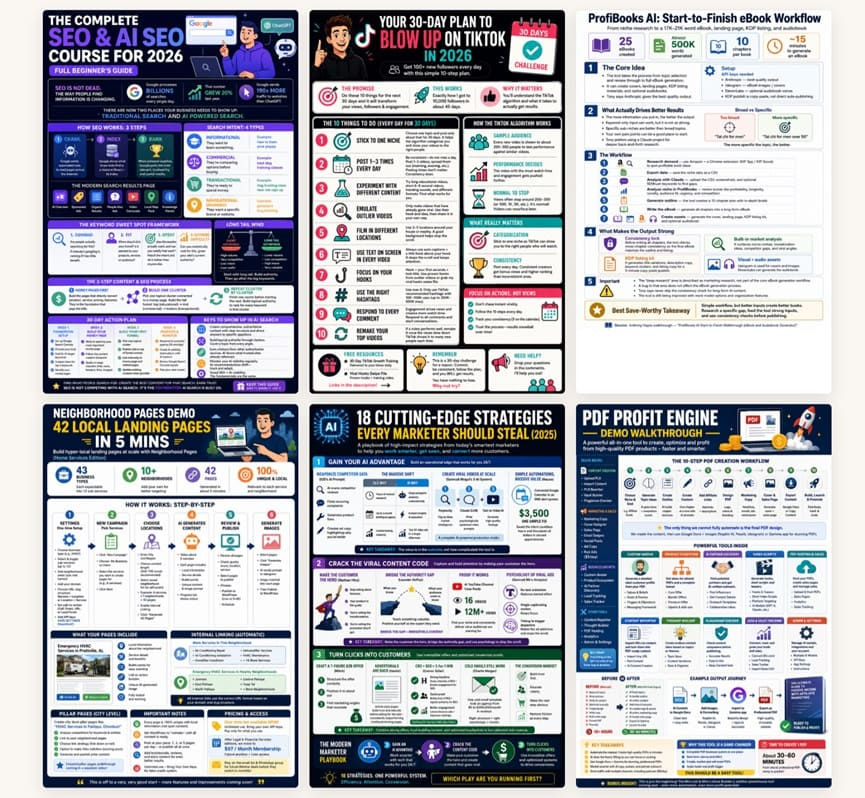
Over a weekend, I created more than 20 infographic-style graphics from videos that I probably wouldn't have had time to process manually. Some were used inside blog posts, while others became Pinterest pins and social media content.
20 Infographic-Style Graphic
High-Engagement Titles for Pinterest & Social Media
|
What surprised me most was that the tool didn't just dump transcript text into ChatGPT. It often organized the information into checklists, step-by-step frameworks, and key takeaway formats that were much easier to turn into visual content.
In terms of results, several of the graphics I created were added to review articles and promotional content for the AI Marketing Launch Kit. Over the following weeks, those pages generated a handful of additional affiliate sales and noticeably improved engagement compared to text-only content. I can't say every sale came directly from the infographics, but having more visual content definitely helped keep visitors on the page longer and made the content easier to consume.
Is TubeGraphics a magic button that instantly generates income? No.
What it does extremely well is remove the tedious work involved in turning YouTube content into branded visual assets. If you're already creating content, running an affiliate business, managing social media pages, or building lead magnets, the time savings alone can justify the small one-time investment.
For me, TubeGraphics became less about creating infographics and more about creating content faster. Instead of spending hours preparing information, I could focus on publishing and promoting content. That's ultimately why I still keep it installed in my browser today.
🔴Conclusion
That’s all what I want to share with you about TubeGraphics. I hope that my review can give you a helping hand in deciding what is best for you.
Important Reminder: When you purchase this product through my special link, you’ll unlock exclusive, valuable bonuses that you won’t find anywhere else! (Please note: these bonuses are only available with the full purchase-not with trial or free versions.)
To claim your bonus gifts, simply complete these two easy steps:
⏩ Step 1: Click the Buy Now button below to secure your copy of this product.

⏩ Step 2: Once your purchase is confirmed, just send a copy of your receipt to lokireviewteam@gmail.com. I’ll verify your order and personally send you all the details on how to access your bonus materials.


Comments